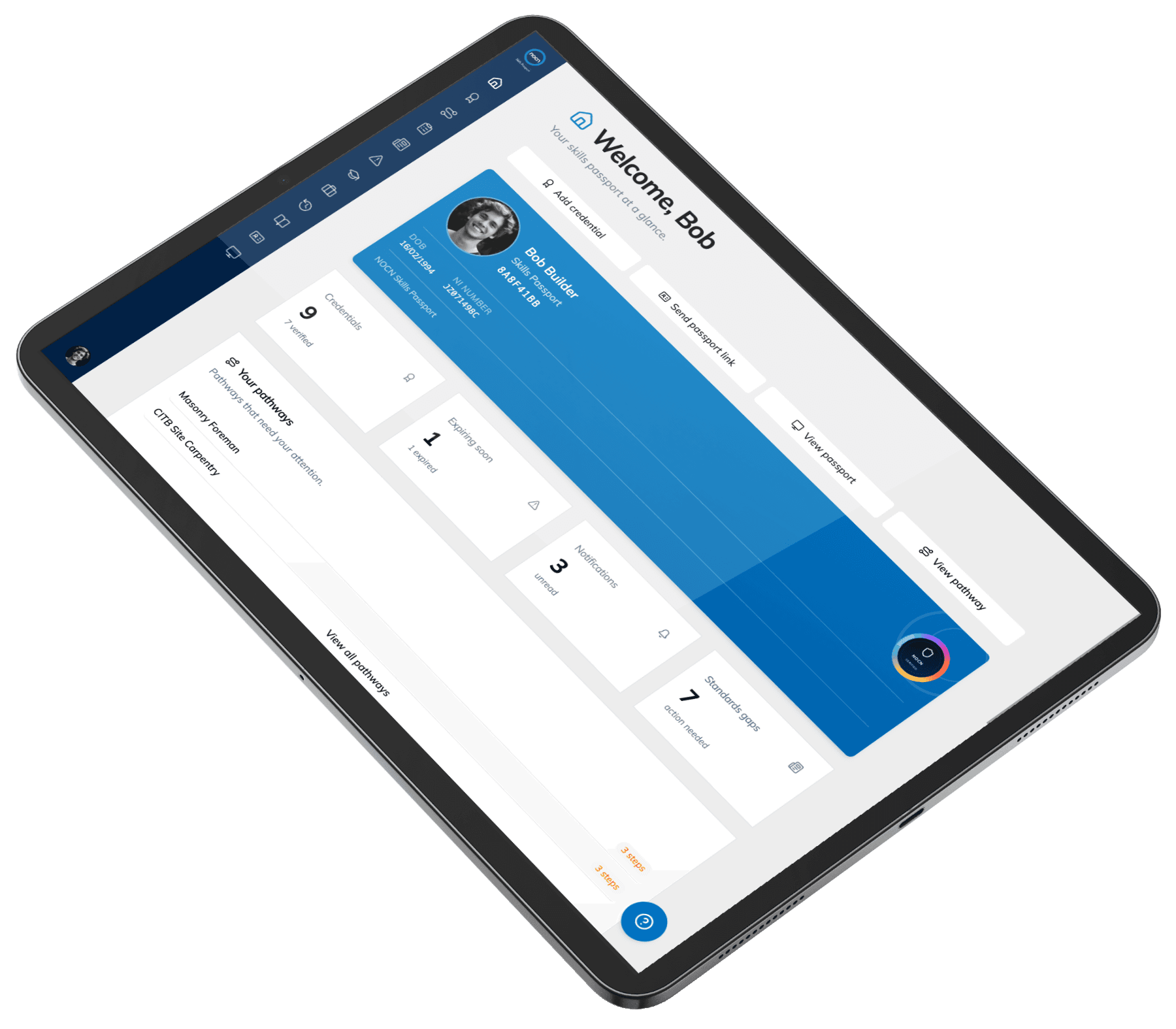
NOCN Workforce Competence Platform
See capability, not just qualifications.
Skills, qualifications and competence evidence sit across different systems. We bring them into one clear view.
- One verified record of skills, qualifications and competence
- Relevant NOCN-held evidence — including NOCN Hub and CPCS
- A workforce view of who can do what, and what's expiring
Powered by the NOCN Skills Passport.
Records and evidence from

Workforce visibility
Do you really know who can do what?
You may know what qualifications your people hold. But what about their wider skills, knowledge, experience and behaviours? Better visibility could help you:
See capability
Get a clearer picture of skills and competence across your workforce — the wider skills, knowledge, experience and behaviours behind the qualifications.
Evidence it
Make relevant evidence easier to access and understand, including its source, verification status and expiry information.
Spot the gaps
Help your team see where credentials are missing or expiring, and where further development may be needed.
Support development
Connect identified needs with appropriate learning, assessment and certification.
“One record that moves with the individual. Their record moves with them — and you get a clearer picture of the capability they bring.”
How it works
One competence lifecycle, end to end
- 1
See
Bring relevant NOCN-held records into one view.
- 2
Verify
Every record shows its source and status.
- 3
Understand
Read capability across skills and behaviours.
- 4
Develop
Spot what's missing or expiring, and act.
- 5
Certify
Route into assessment through NOCN Hub and CPCS.
- 6
Renew
Keep the record current as people move.
Inside the platform
What you can do with it
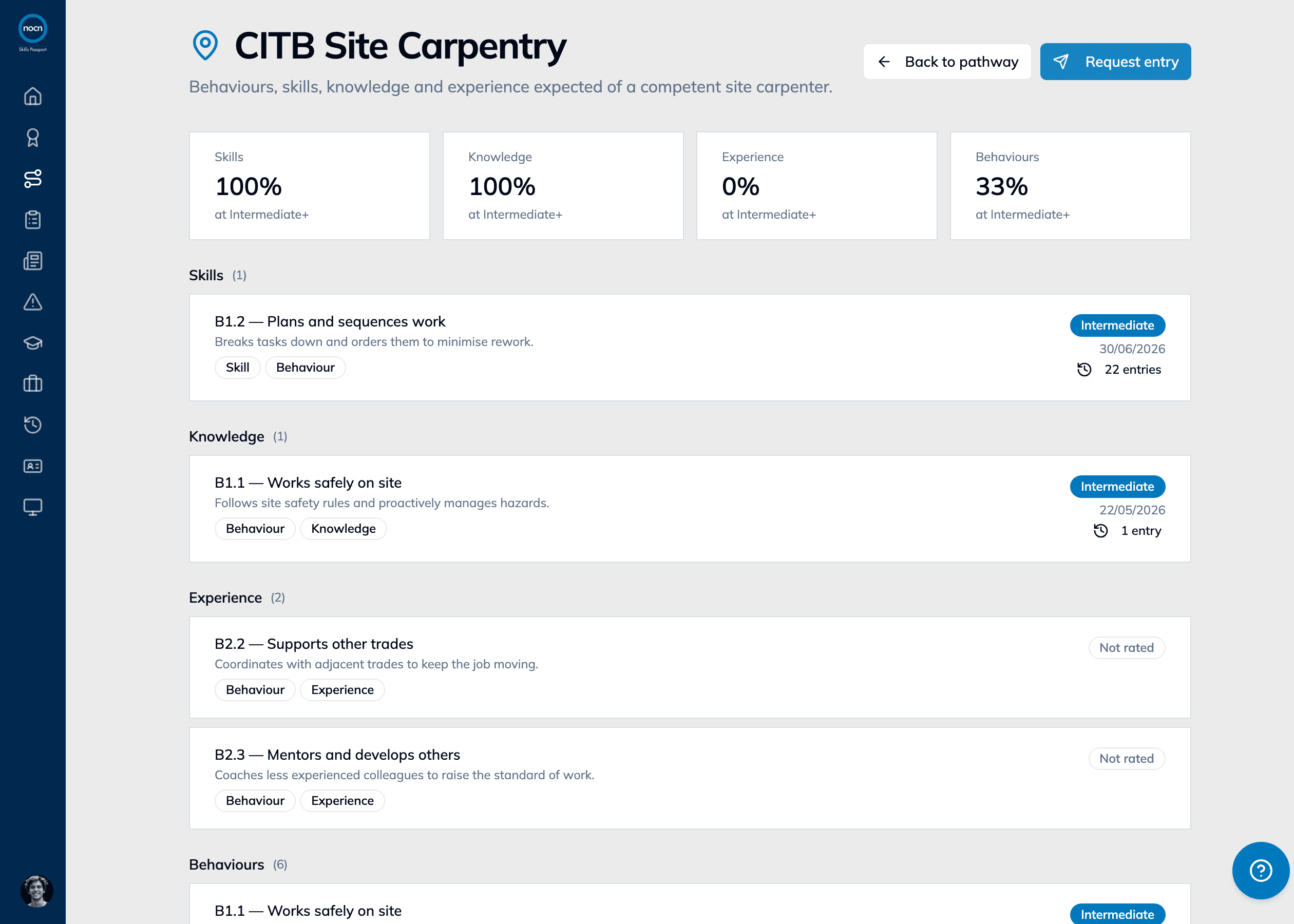
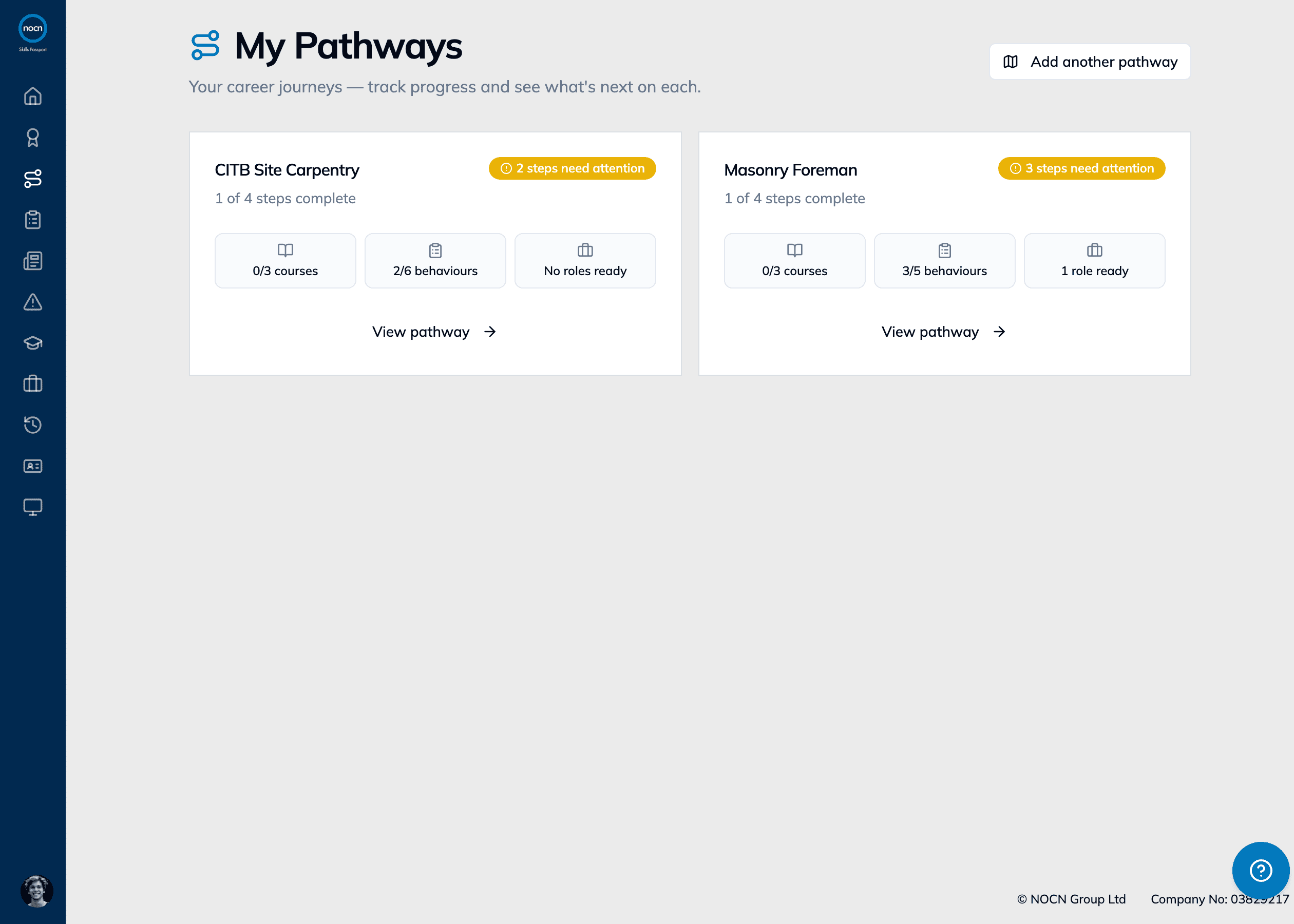
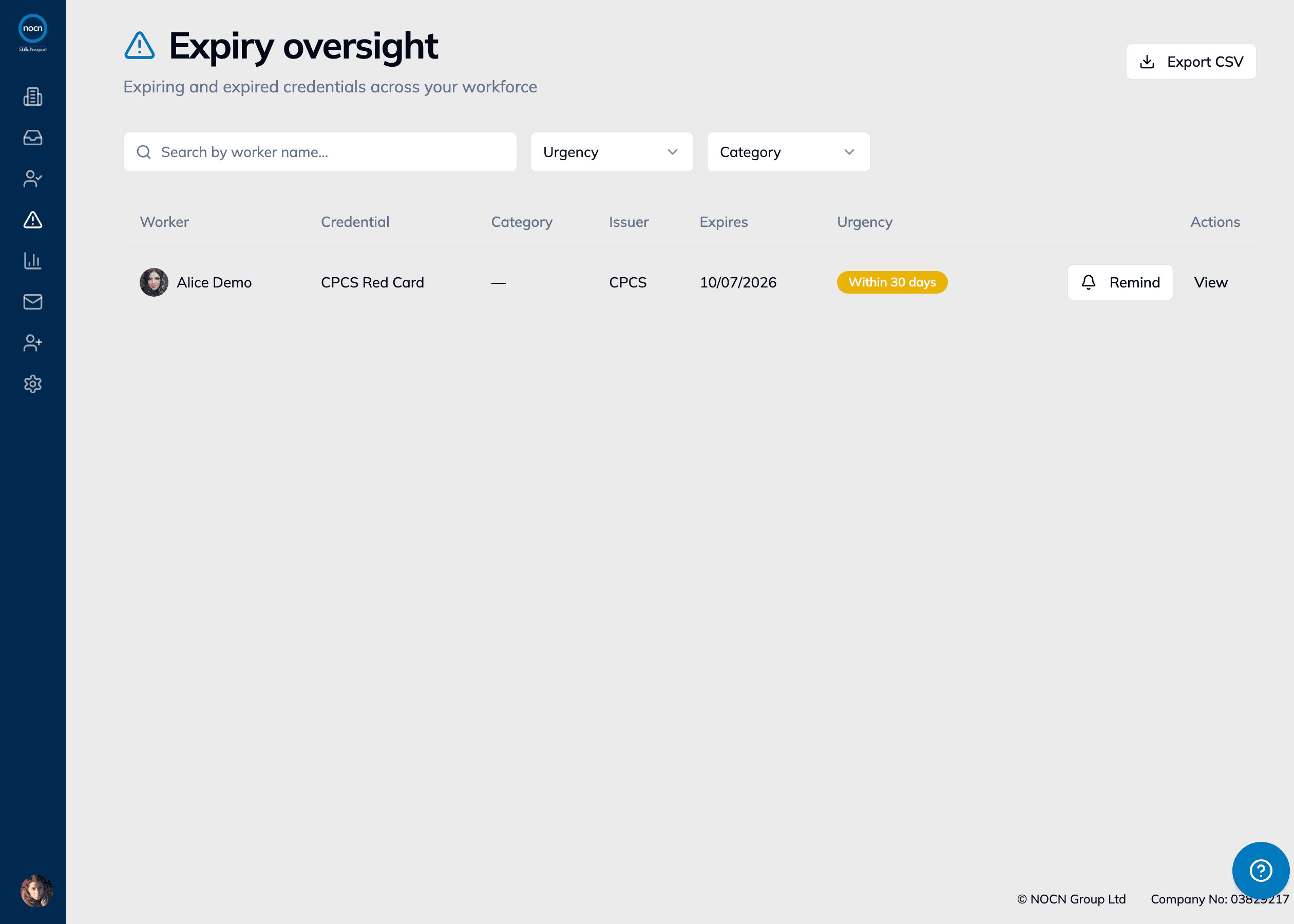
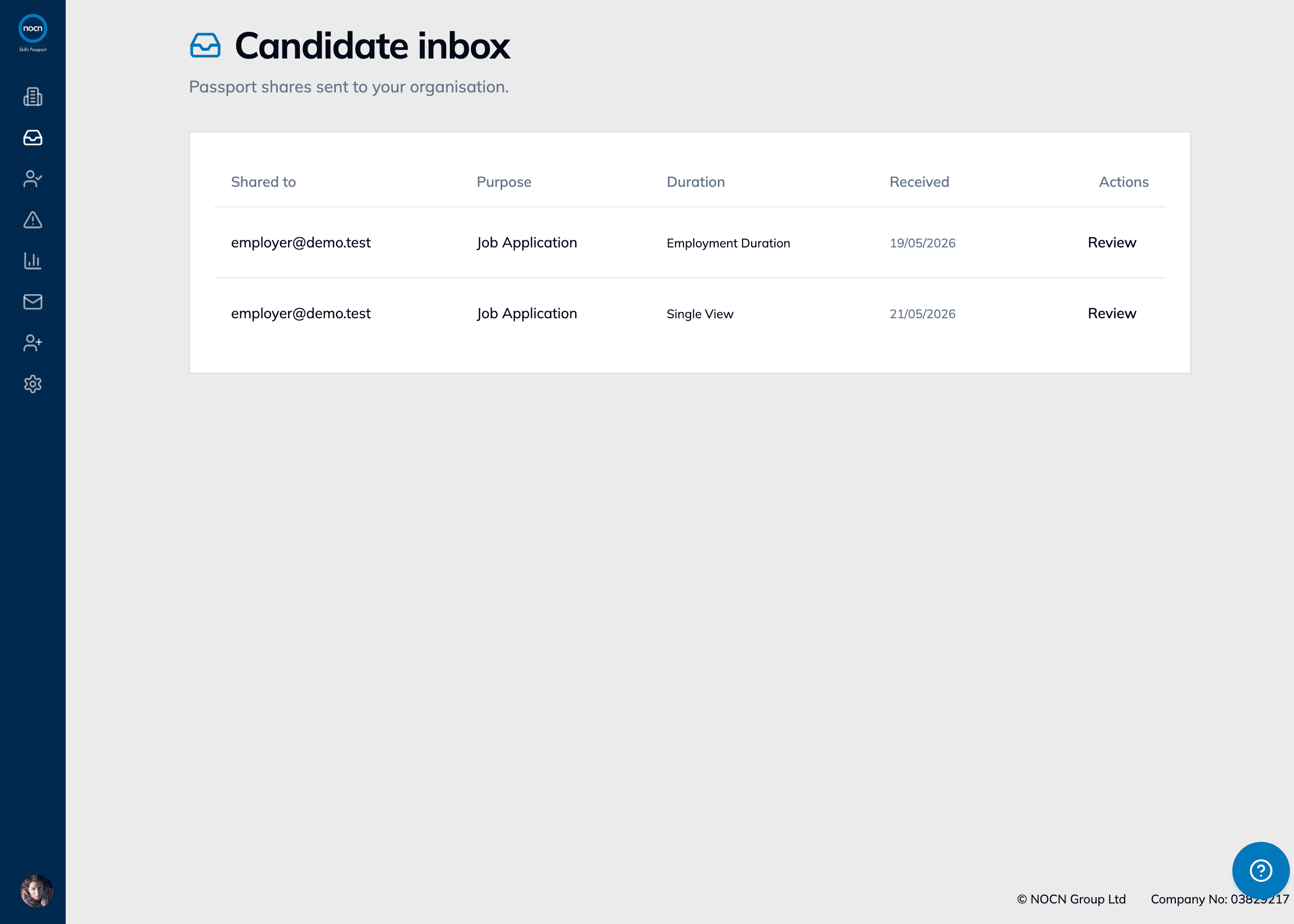
Competence
Evidence across Skills, Knowledge, Experience & Behaviours
See competence against a framework — each behaviour rated and evidenced, not just a qualification title on a list.
Where it fits
More than a skills record.
A CV tells you what someone claims. An HR system runs your back office. The Skills Passport sits between them: a verified, individual-owned record of competence you can build a workforce view from.
Verified evidence, with source and status
- NOCN Skills Passport
- Yes
- A CV
- No
- An HR system
- Partial
Competence across skills, knowledge, experience & behaviours
- NOCN Skills Passport
- Yes
- A CV
- Partial
- An HR system
- No
Credential expiry tracked and surfaced
- NOCN Skills Passport
- Yes
- A CV
- No
- An HR system
- Yes
Owned by the individual and moves with them
- NOCN Skills Passport
- Yes
- A CV
- Yes
- An HR system
- No
Shared to an employer for a purpose and duration
- NOCN Skills Passport
- Yes
- A CV
- Partial
- An HR system
- No
Workforce view built from records people bring
- NOCN Skills Passport
- Yes
- A CV
- No
- An HR system
- Partial
Runs payroll, holiday, performance & HR admin
- NOCN Skills Passport
- No
- A CV
- No
- An HR system
- Yes
Partial indicates it depends on the tool or is only loosely supported.
Built for real workforce challenges
Whatever your role, the same starting point
Whether you're responsible for people, learning and development, operations or compliance, it begins with knowing who can do what.
People & HR
Build a workforce view from records people bring, and see the capability behind the job titles.
Learning & development
Connect what's missing or expiring to the right learning, assessment and certification.
Operations
Know who holds what before you mobilise a team — with verified evidence, not assumptions.
Compliance & assurance
See credential status and expiry across the workforce, and keep evidence ready when you need it.
A few things you might want to know
Questions, answered
What is the NOCN Skills Passport?
The NOCN Skills Passport is a secure digital record that brings an individual’s skills, qualifications, experience and competence evidence together in one place.
It makes it easier for individuals to present what they know and can do, while giving employers a clearer view of the evidence available across their workforce.
Who is it for?
The Skills Passport is designed for individuals, employers, educators and industry partners.
Individuals gain a portable professional record that develops throughout their career. Employers gain better visibility of workforce skills, qualifications and competence evidence.
Is it just a digital CV?
No. A CV is largely written by the individual and provides a summary of their experience.
The Skills Passport is built around credentials and evidence. It shows where supported information has come from and whether it has been verified.
Individuals can upload a CV to help populate their Passport, but information taken from a CV is not automatically verified.
How is it different from an HR system?
An HR system is generally used by an employer to manage internal processes and workforce information.
The Skills Passport is centred on the individual. It provides a portable professional record that can develop throughout their career and move with them between employers.
It is designed to work alongside existing HR and learning systems rather than replace them.
Is everything in the Passport verified?
No. The Passport clearly distinguishes between information added by an individual and information received from or verified by a trusted source.
Each record displays its verification status, and where it came from, helping employers understand the evidence they are viewing.
How can the Skills Passport support employers in relation to the Building Safety Act?
The Building Safety Act has increased the focus on how organisations manage and demonstrate workforce competence.
The Skills Passport helps employers bring relevant qualifications, skills, knowledge, experience, behaviours and competence evidence into a clearer workforce view. This makes the evidence easier to access, review and maintain.
The platform supports competence management, but employers and dutyholders remain responsible for deciding whether someone is competent for a particular role or task.
Does the Skills Passport make an organisation compliant?
No single platform can make an organisation compliant automatically.
The Skills Passport can support the recording, sharing and review of relevant evidence. Employers remain responsible for understanding their duties, setting appropriate competence requirements and making decisions about their workforce.
What happens when someone leaves their employer?
The individual keeps their portable Skills Passport when they move to another role or organisation.
They can withdraw a former employer’s access to their Passport, leaving that employer only with a snapshot, and share relevant records with a new employer when needed.
What are SKEBs?
SKEBs are the Skills, Knowledge, Experience and Behaviours that contribute to an individual’s overall competence.
The Skills Passport provides a broader view than qualifications alone by bringing relevant evidence across these four areas together.
Can an employer explore a pilot?
Yes. We are inviting employers and industry partners to explore opportunities to take part in an early employer pilot.
We will begin with a conversation about the organisation’s workforce challenge, existing information and the outcomes it wants to achieve. Where there is a good fit, we can agree an appropriate cohort, timeframe and measures of success.
Be among the first to explore it
See what it could mean for your workforce
Start with a conversation about your workforce challenge. We’ll show you how the platform could fit and, where appropriate, discuss the opportunity to take part in an early employer pilot.
- 01
A short conversation
Tell us about your workforce challenge and what you need greater visibility of.
- 02
A focused walkthrough
See the platform through the lens of your organisation and use case.
- 03
Explore an employer pilot
If there’s a good fit, we can discuss a defined early pilot with your workforce.